Year
Sept '25 - Present
Project
UX Audit and Redesign
Tools
Figma, FigJam, Figma Make, Shortcut, Claude, Cursor
The Client
My Role
The Team
Type of Work
The Context
Target Audience
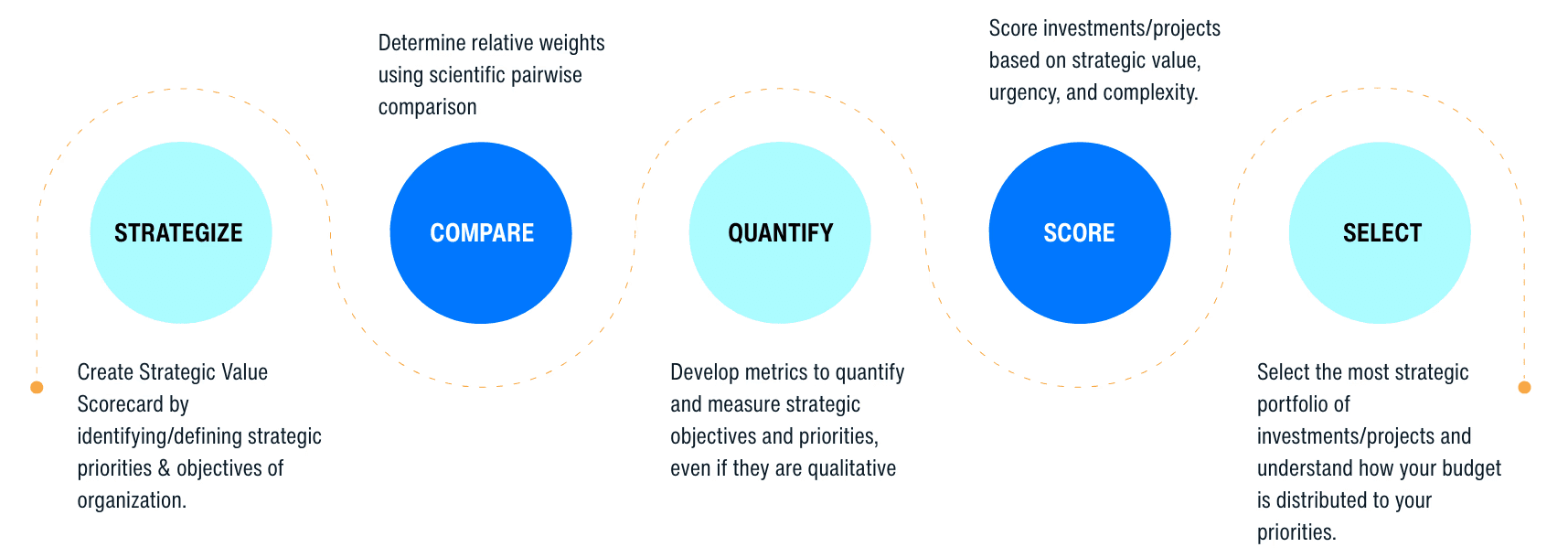
Consultants (decision coaches) and organizations aiming to align on strategic decisions. They are typically less tolerant of complex or unintuitive interfaces, valuing clarity, efficiency, and structured workflows that support high-level thinking.
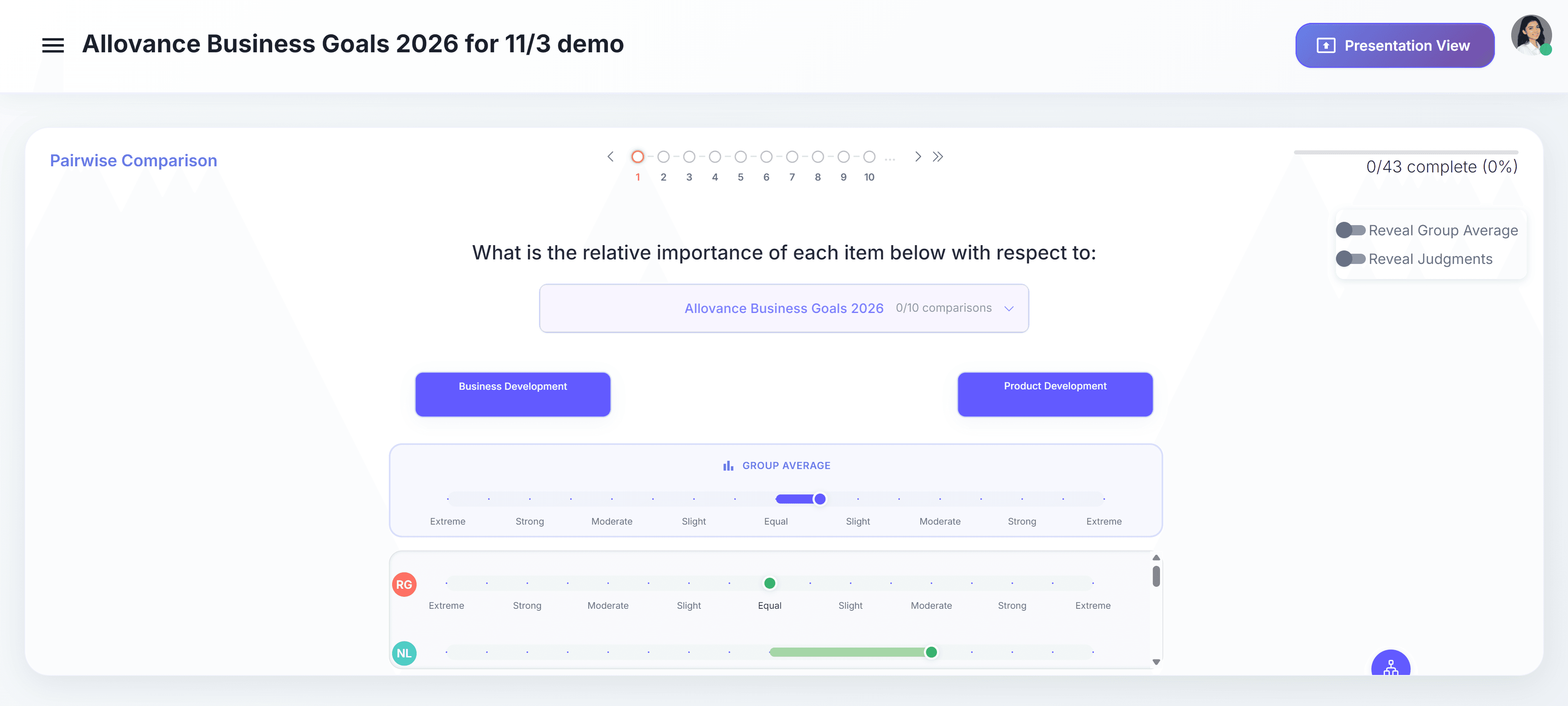
Old Design
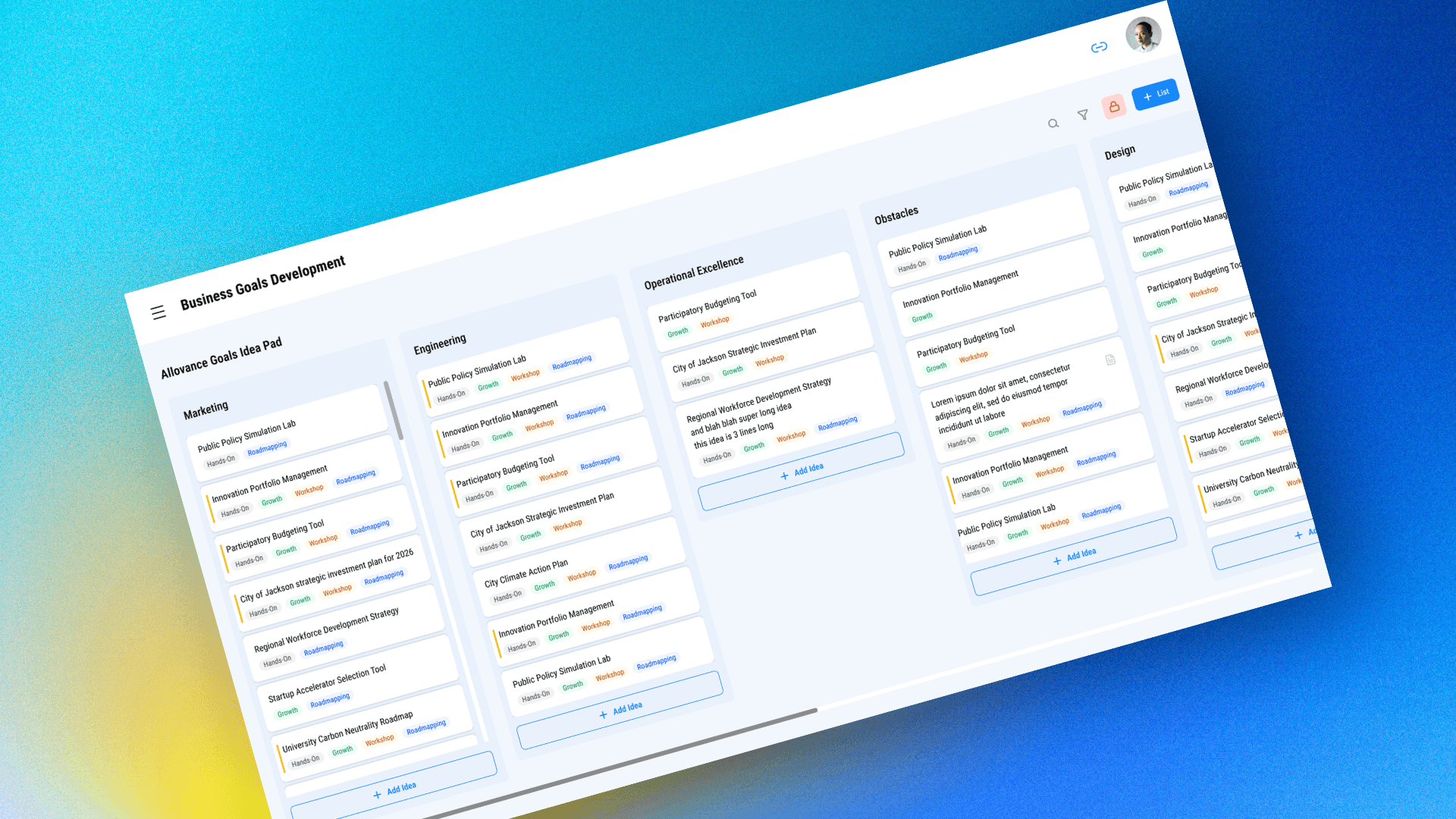
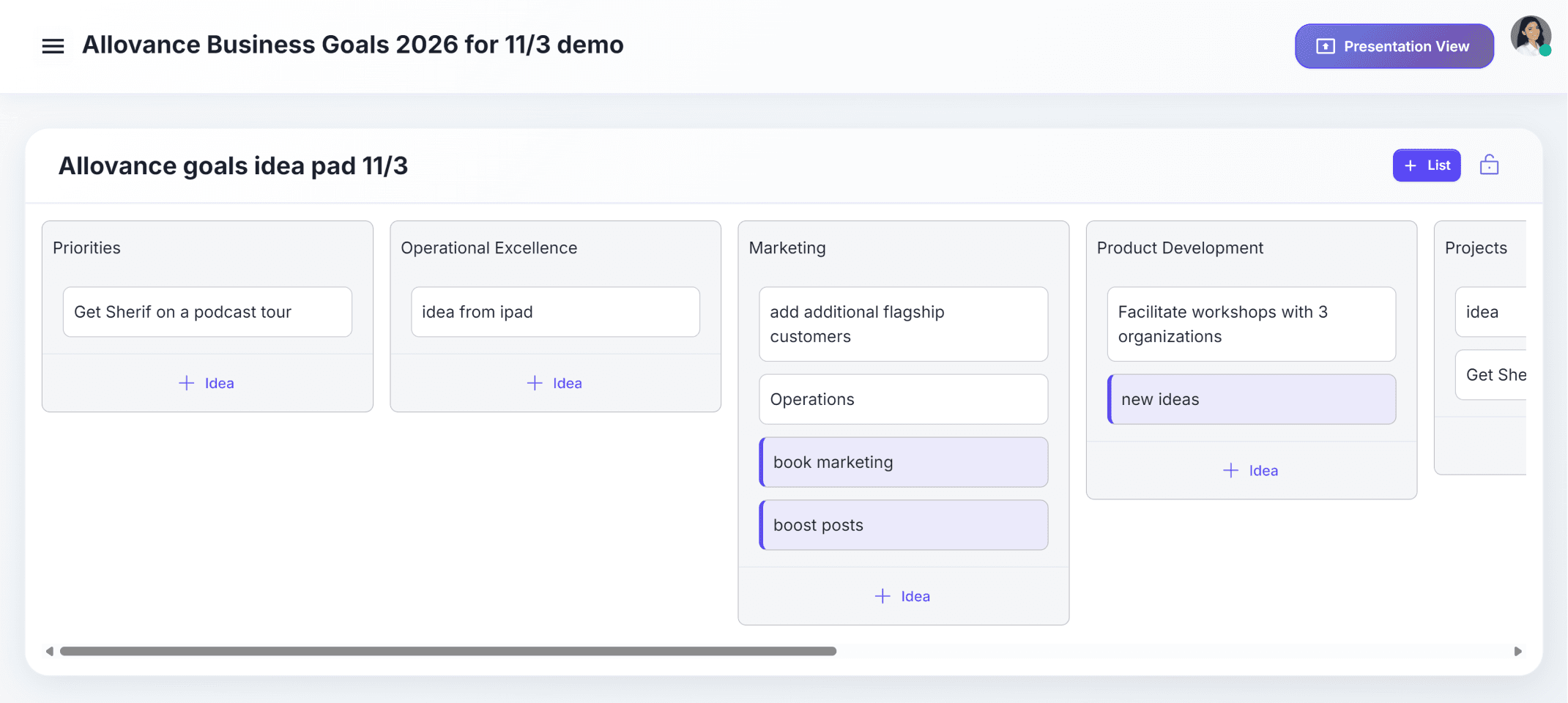
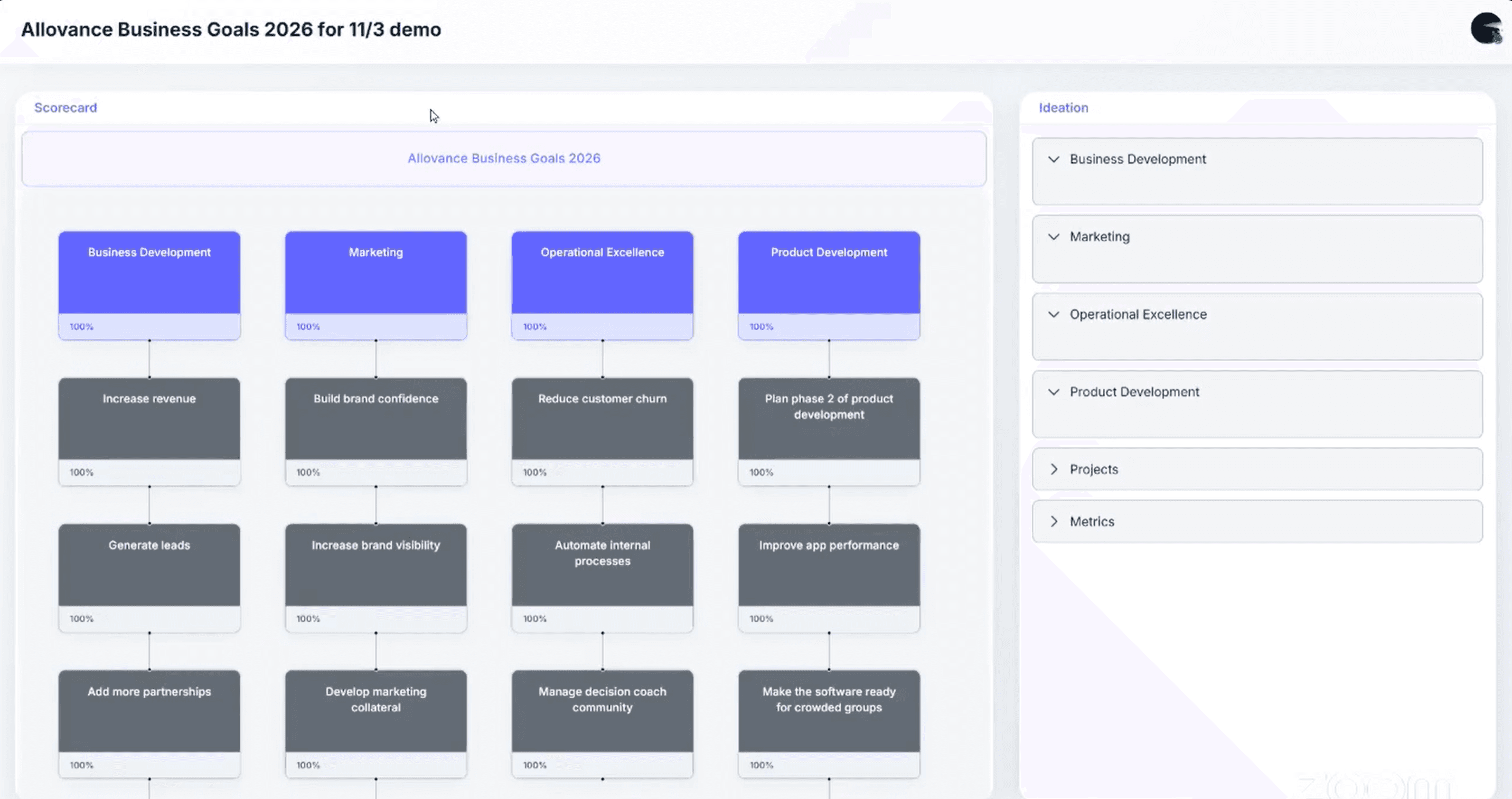
The current solution suffered from high cognitive load due to excessive visual and functional complexity. Multiple elements competed for attention, with little prioritization or hierarchy, making the interface difficult to parse at a glance.
This led to a steep learning curve, where users had to rely on trial-and-error rather than intuitive interaction patterns.
UX Audit
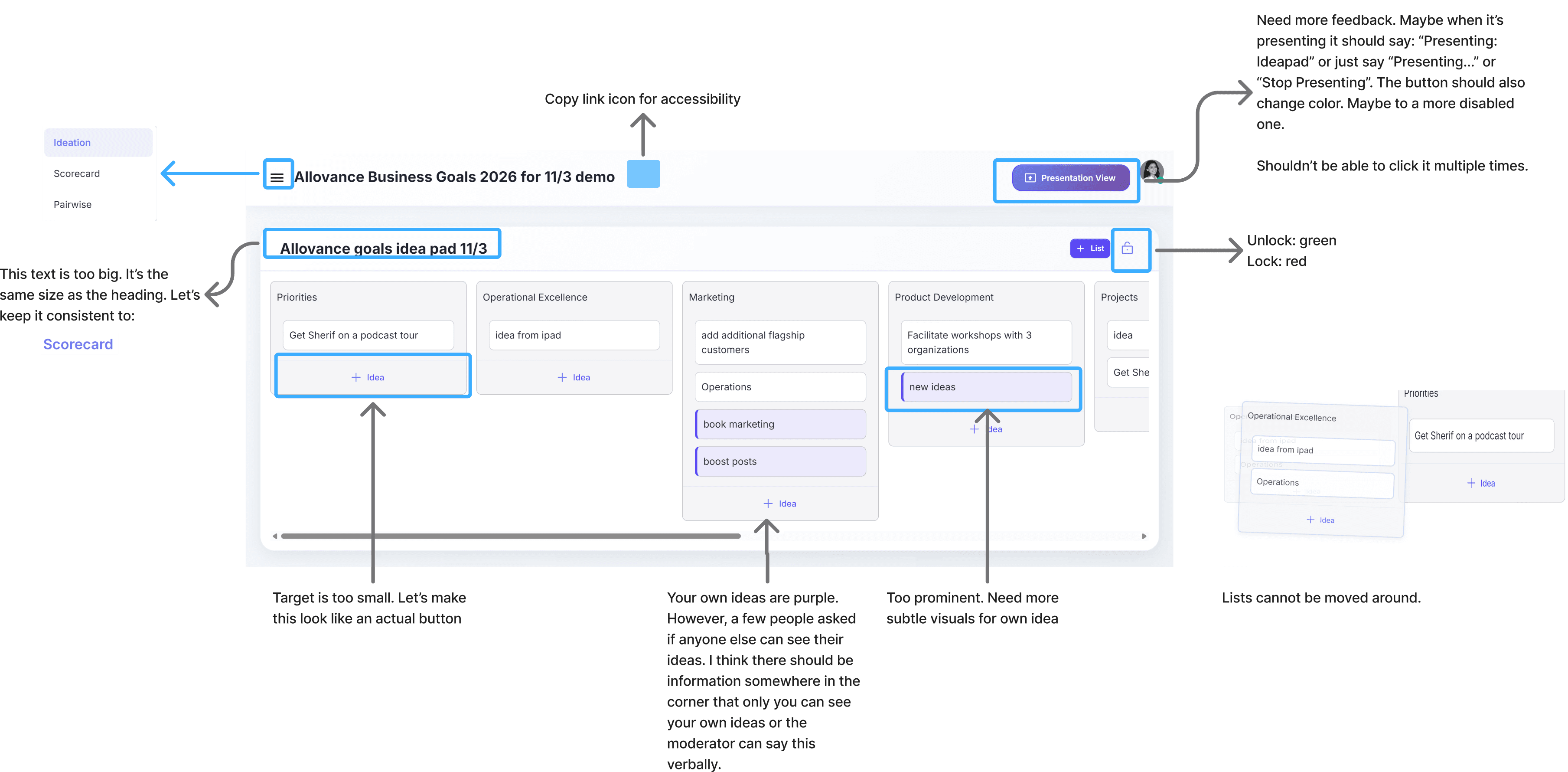
I conducted a comprehensive UX audit in FigJam, analyzing workflows, interaction patterns, and usability gaps across the platform to later communicate to the Dev Team.
The UX audit identified several core issues that impacted usability and user confidence:
Lack of System Feedback & States
Actions such as “Presentation View” lack clear feedback or state changes (e.g., active, disabled), creating ambiguity around system status and user control.
Weak Affordances for Actions
Interactive elements (e.g., “+ Idea”) do not clearly resemble actionable components, leading to uncertainty around what is clickable and how to interact with the system.
Overemphasis on Secondary Elements
Certain UI elements (e.g., highlighted input fields or "Presentation View") draw disproportionate attention, distracting from more important tasks and disrupting user focus.
Redundant Progress Indicators
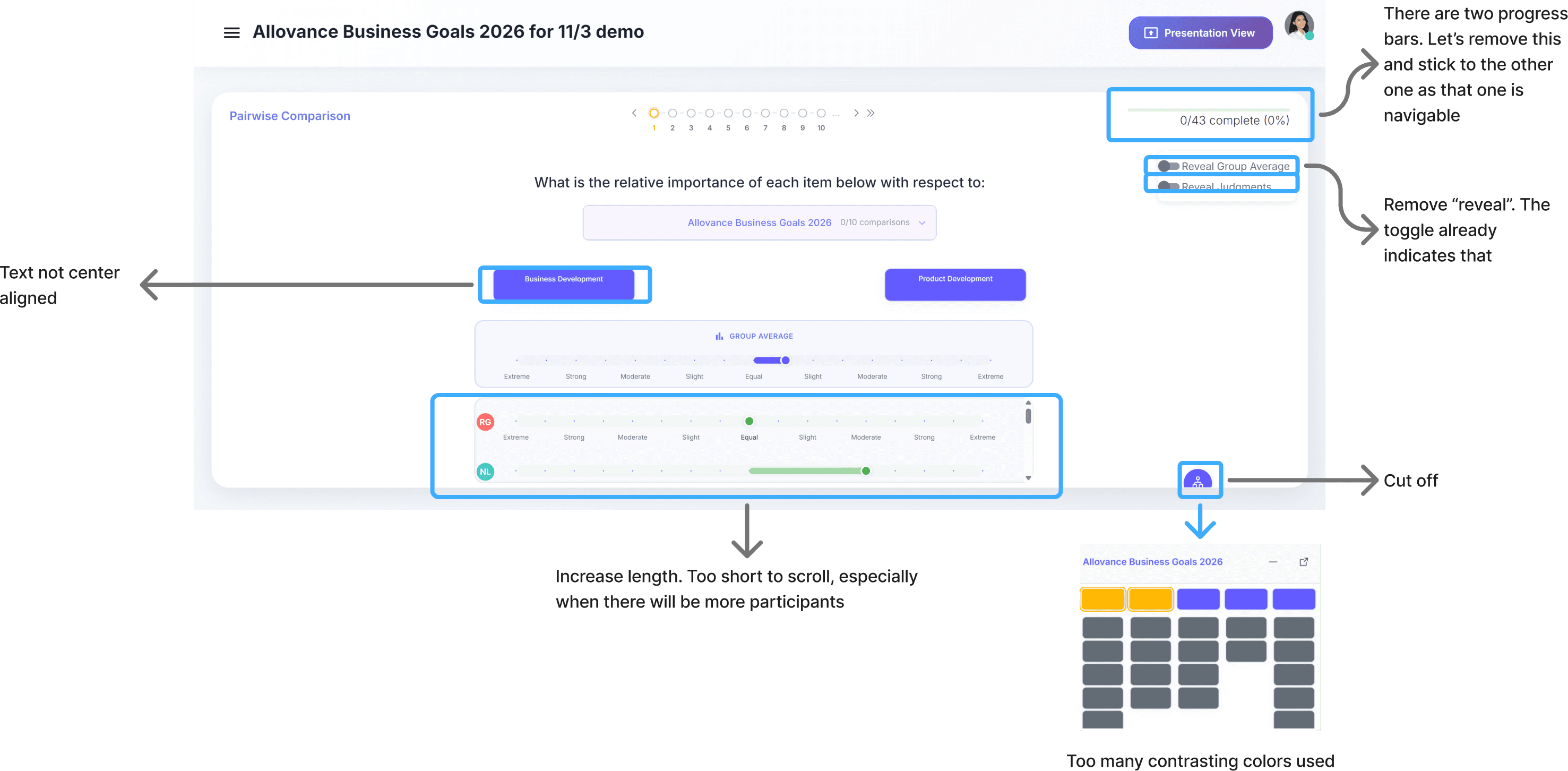
Multiple progress indicators (step tracker + completion bar) create unnecessary visual noise and compete for attention without adding meaningful value.
Inefficient Use of Screen Real Estate
Critical interactive areas (e.g., comparison sliders) are compressed, limiting usability and making interactions more difficult, especially in collaborative settings.
Overuse of Contrasting Colors
The interface uses multiple competing colors without clear semantic meaning, creating visual clutter and reducing the effectiveness of color as a communication tool.
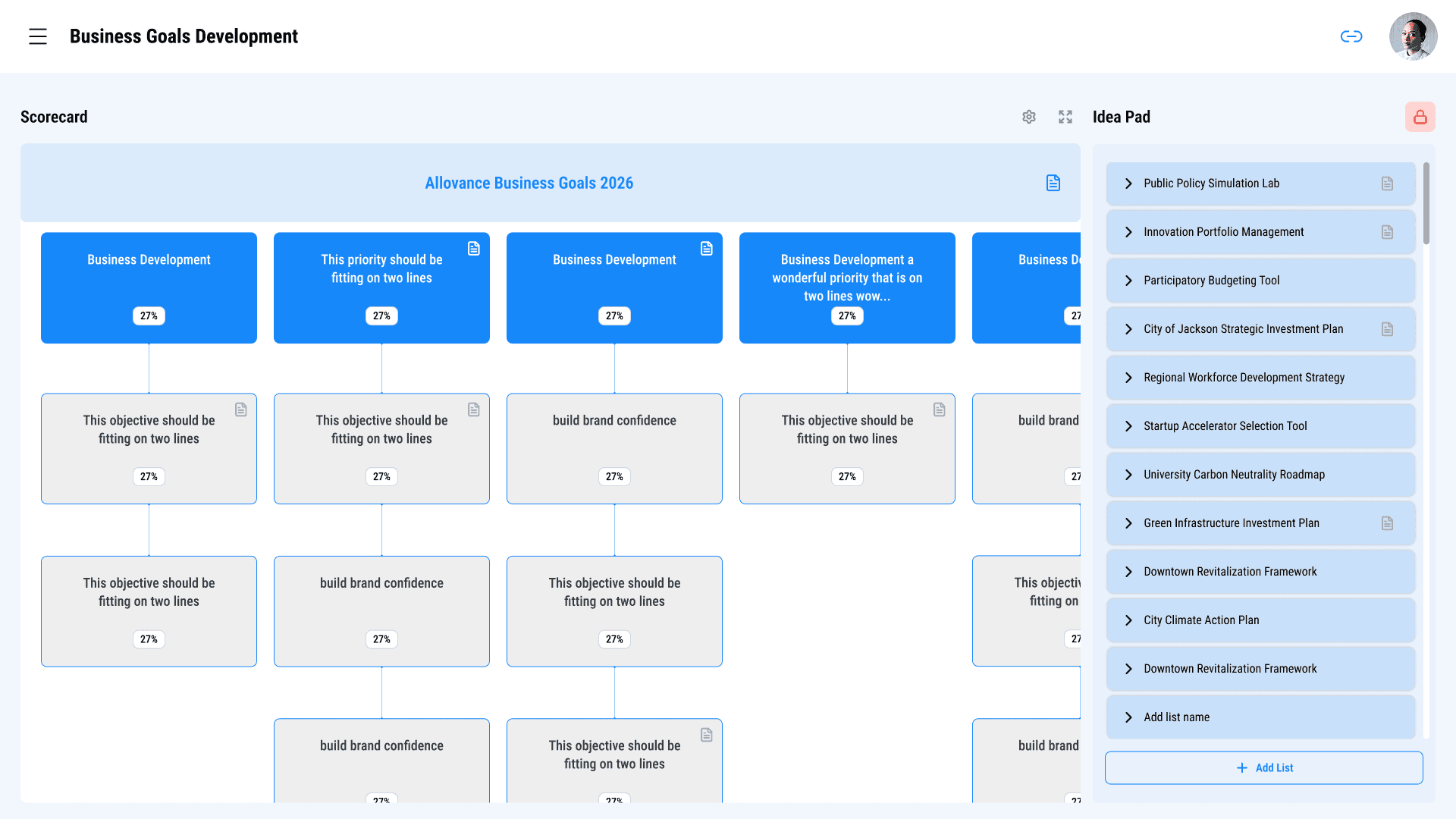
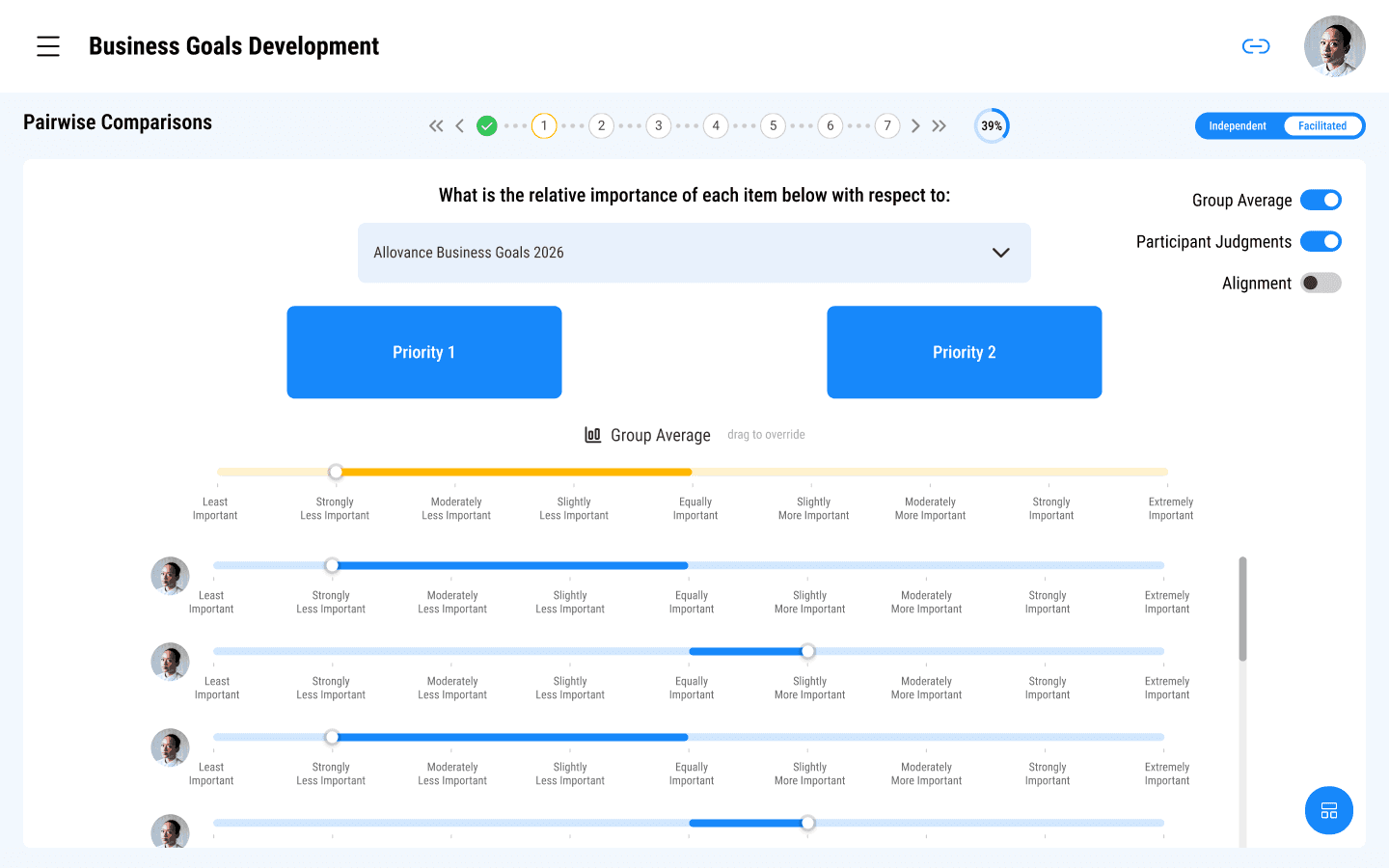
Clear Visual Hierarchy & Simplified Layout
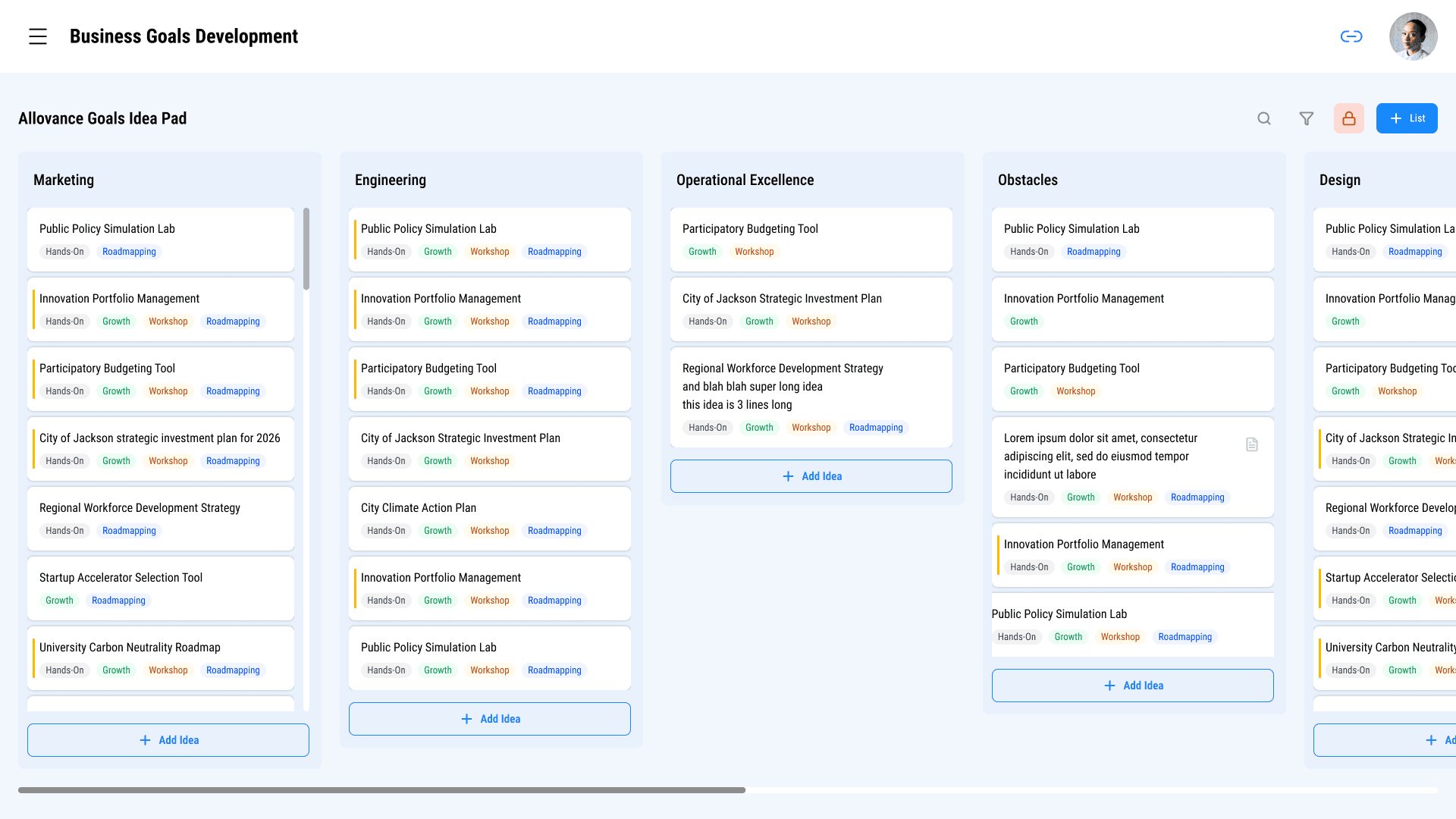
The redesigned interface introduces a structured visual hierarchy, guiding users’ attention toward primary actions and key information. By reducing visual clutter and organizing content more intentionally, users can quickly understand where to focus and how to proceed.
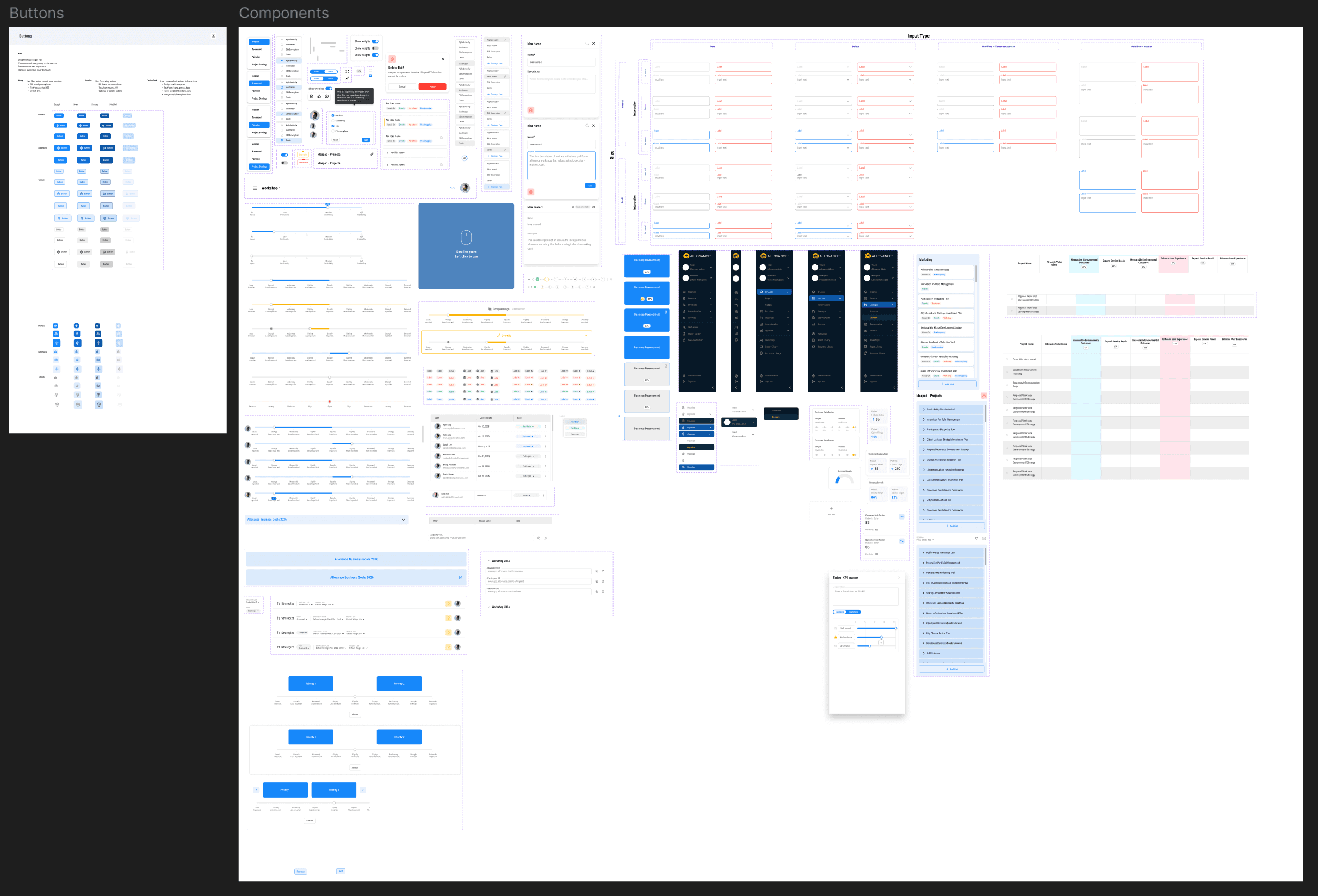
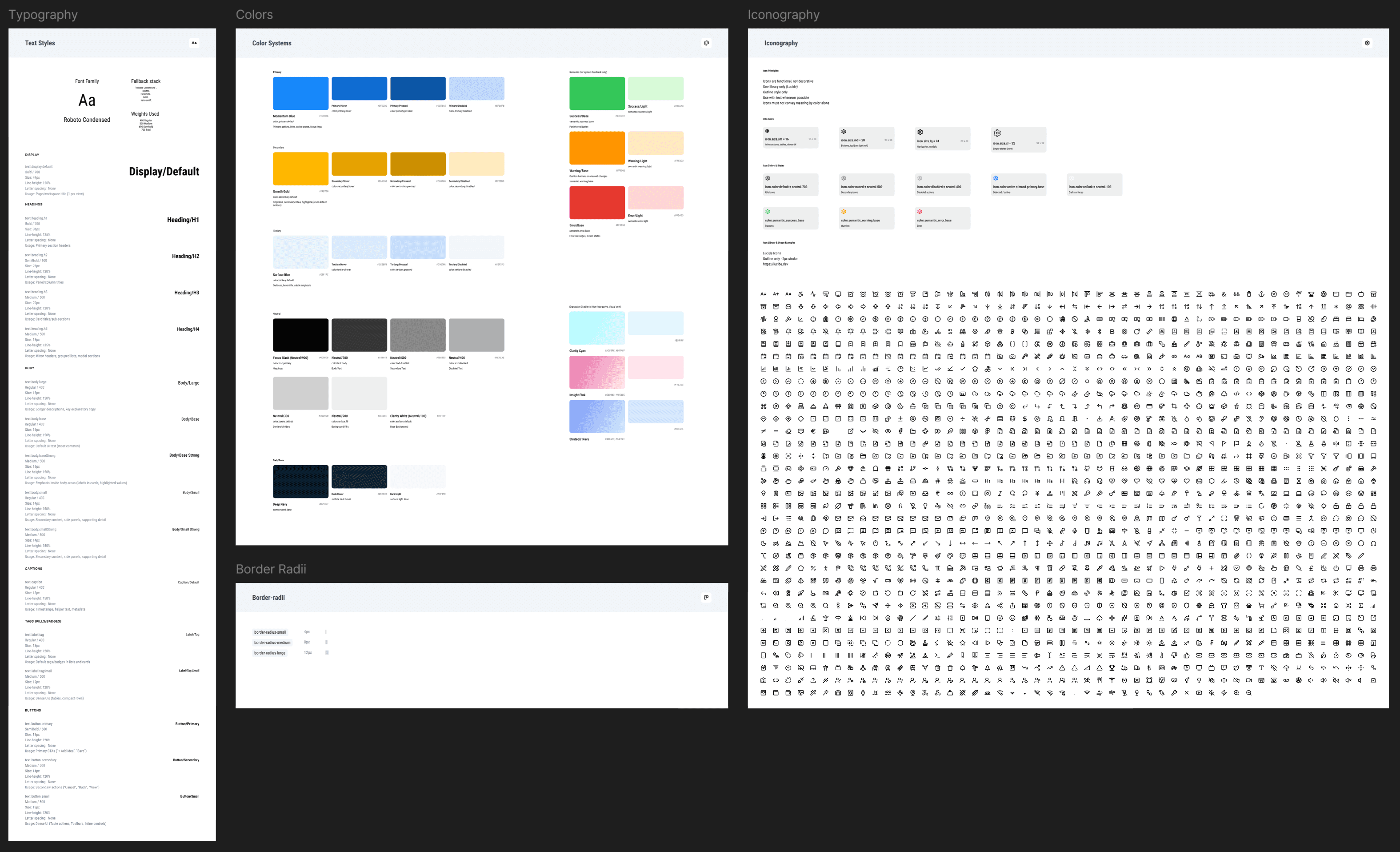
Consistent Design System for Scalability
A cohesive design system was introduced, including standardized components, typography, and interaction patterns. This not only improved visual consistency but also streamlined collaboration with developers and reduced implementation friction.
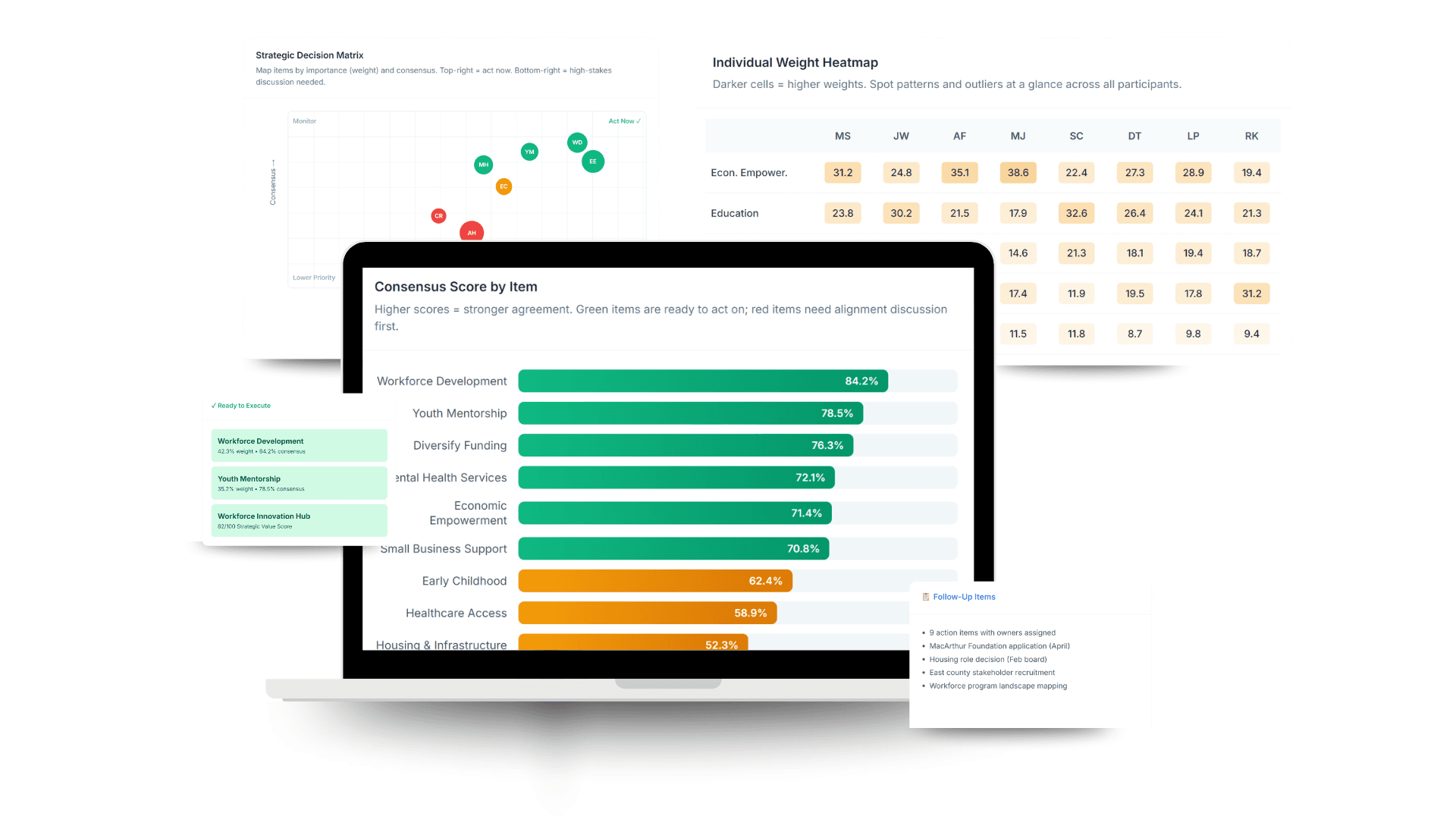
Enhanced Collaboration & Real-Time Usability
The platform was optimized for workshop environments, ensuring that interactions remain clear and efficient even with multiple participants.
Improved Interaction Clarity & Affordances
Interactive elements were redesigned to clearly communicate their function, using consistent button styles, states, and feedback. This improves usability and reduces hesitation, especially for first-time users.
Design System
Foundations (Visual Language)
Component System (Core UI Building Blocks)